ShopiPress.
Explore

EN

SHOPIPRESS PRODUCT · VERIFIED CANDIDATE

See what ShopiPress actually delivers.

Evaluate the Shopify connection, manual catalog synchronization, WordPress publishing surfaces, exact plugin interface, edition boundaries and current limits.

Review delivered outcomesWhy combine Shopify and WordPress?
Catalog source · Shopify
Pages and content · WordPress
Cart and checkout · Shopify
WooCommerce · Not required
Shopify storeMorrowfield Shopify storefront, the exact ShopiPress plugin interface and a WordPress product page showing the same fictional product.
Transit 24$188 CADCart and checkout · Shopify
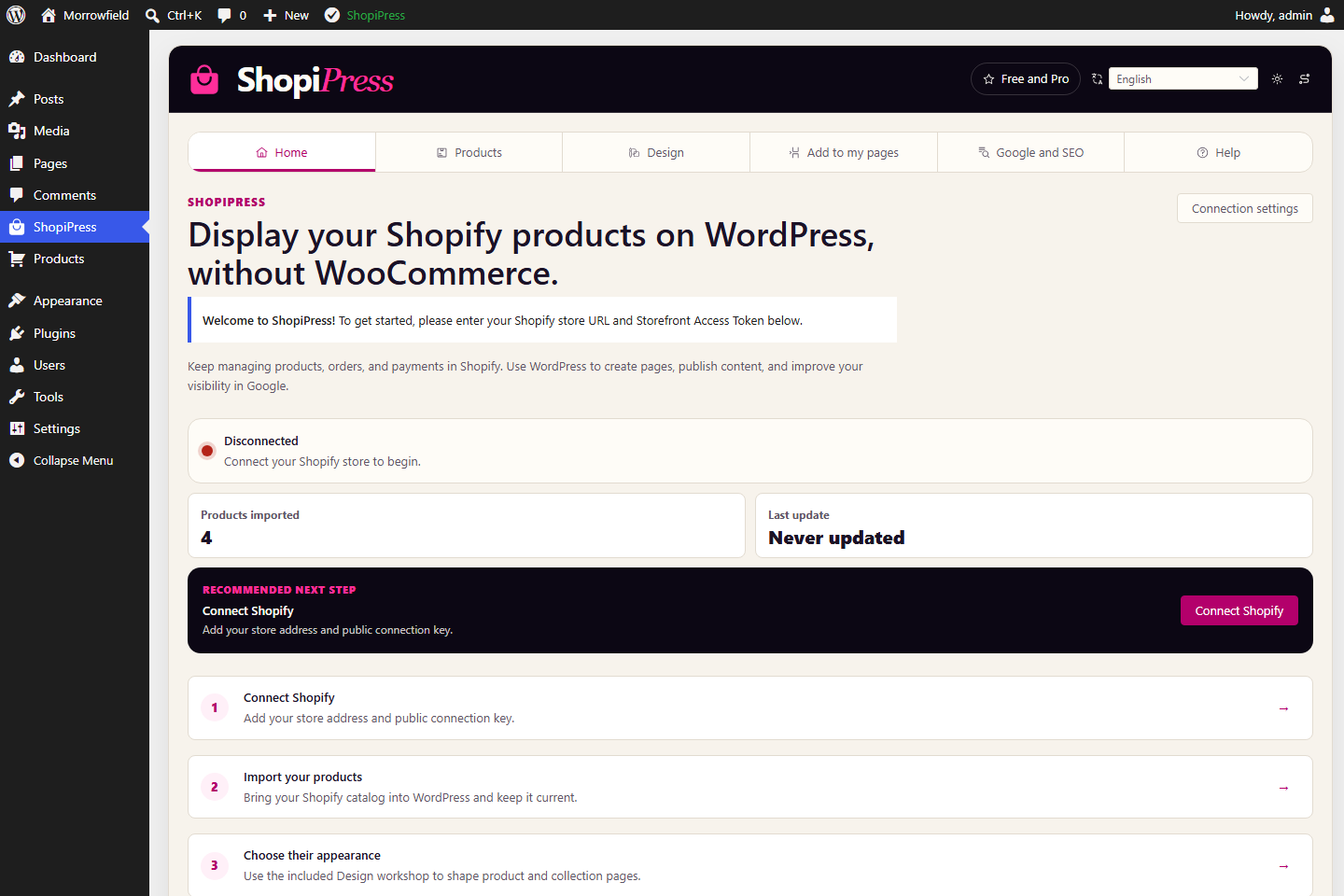
ShopiPressShopiPress plugin interface: Connection and workflow.

Shopify + WordPress

Why combine Shopify and WordPress?

A Shopify store is designed to operate commerce. WordPress gives editorial teams a flexible publishing system, theme ecosystem and page-building workflow. ShopiPress lets a merchant use both without presenting two independent commercial catalogs.

01 · SHOPIFY

Shopify product

Products, inventory, cart, transactions and checkout remain in Shopify.

02 · SHOPIPRESS

Review and synchronize

ShopiPress connects the catalog, runs the current manual synchronization and provides the rendering tools.

03 · WORDPRESS

WordPress product page

WordPress gives the catalog product pages, collections, editorial context, landing pages, templates and an indexable publishing surface.

How it works

Connect Shopify. Publish in WordPress. Keep checkout on Shopify.

The current candidate follows a deliberate three-step workflow. You decide when the catalog is synchronized and verify the result before publishing.

  1. 01

    Connect your Shopify store

    Enter the store subdomain and a public Storefront API token, then test the connection. Never use a private Admin API credential.

    ShopiPress interface: Connect your Shopify store.
    ShopiPress · exact candidate interface
  2. 02

    Review and synchronize

    Discover the catalog, inspect what will be created, then start the current manual full-catalog synchronization.
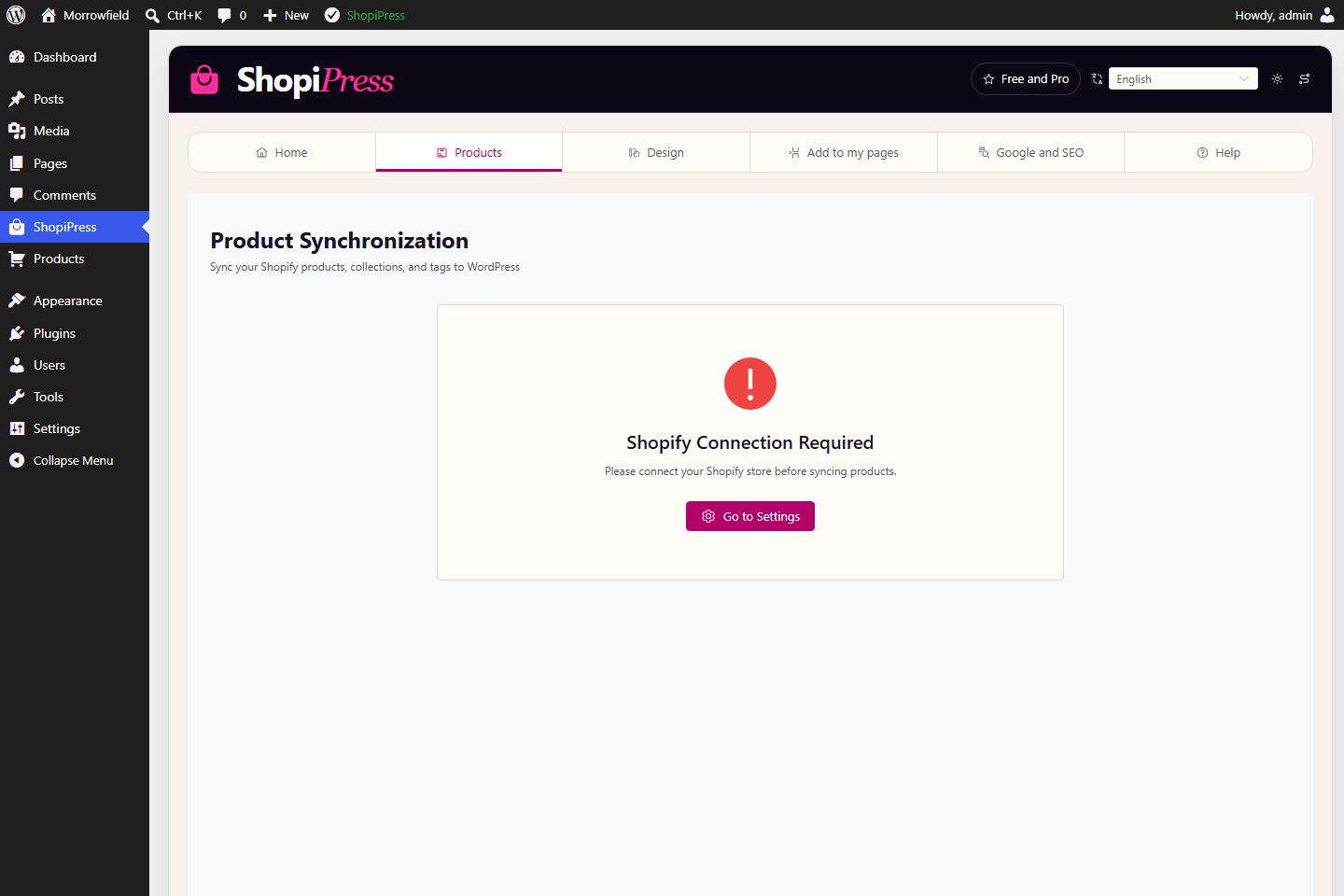
    ShopiPress interface: Review and synchronize.
    ShopiPress · exact candidate interface
  3. 03

    Build the WordPress experience

    Use product pages, collections, blocks, shortcodes or supported builders. Buying actions return to Shopify checkout.
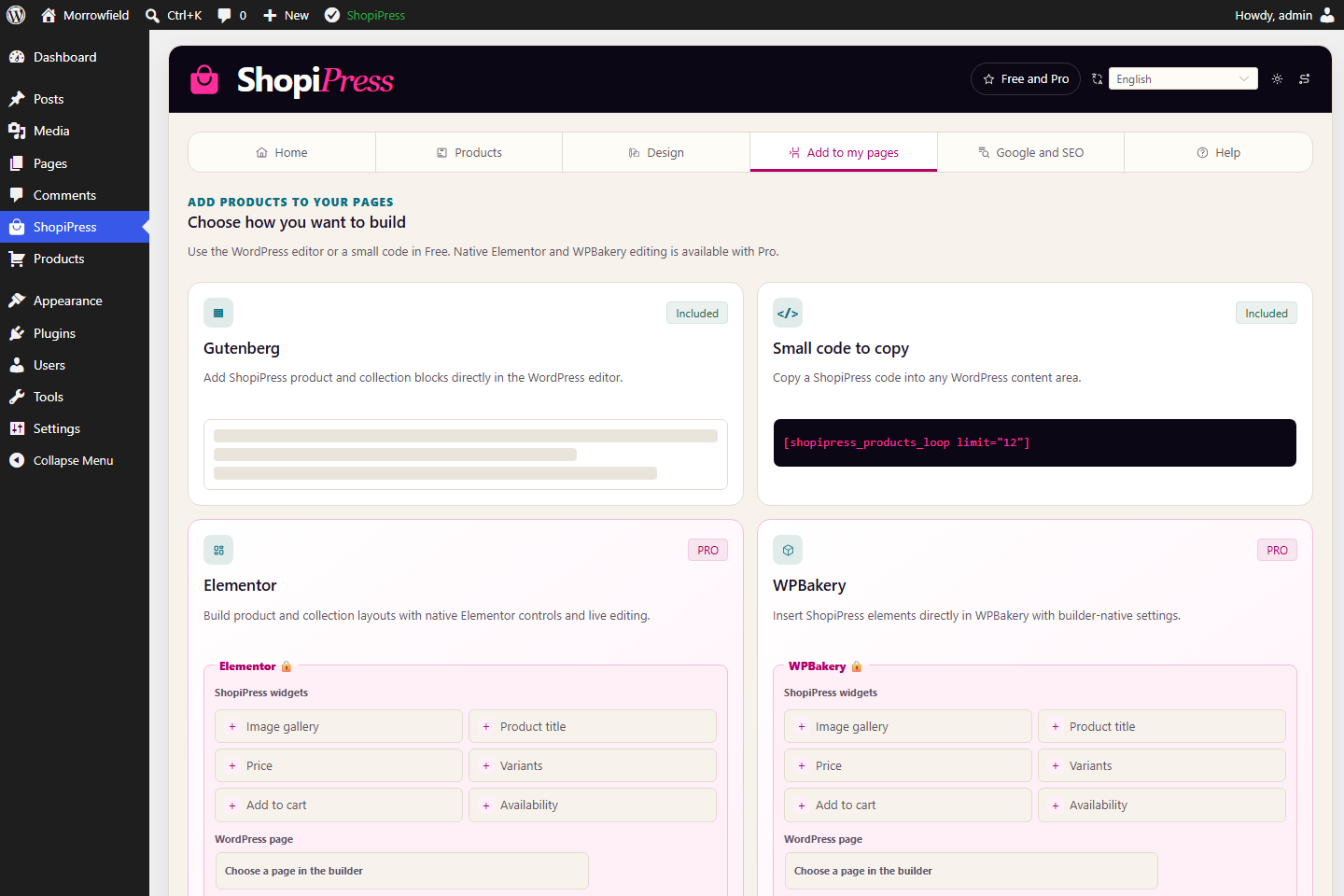
    ShopiPress interface: Build the WordPress experience.
    ShopiPress · exact candidate interface

What stays where

One store. Two systems doing the jobs they do best.

ShopiPress connects the catalog without pretending WordPress has become the commerce engine.

01 · SHOPIFY

Shopify

Products, inventory, cart, transactions and checkout remain in Shopify.

02 · SHOPIPRESS

ShopiPress

ShopiPress connects the catalog, runs the current manual synchronization and provides the rendering tools.

03 · WORDPRESS

WordPress

WordPress gives the catalog product pages, collections, editorial context, landing pages, templates and an indexable publishing surface.

Four teams, one catalog source.

Four teams, one catalog source.

01

Merchants who want richer product storytelling

02

Editorial brands publishing guides and comparisons

03

WordPress agencies building catalog experiences

04

SEO teams governing duplicate product surfaces

Exact-build capture

The interface is real. The catalog is the demo.

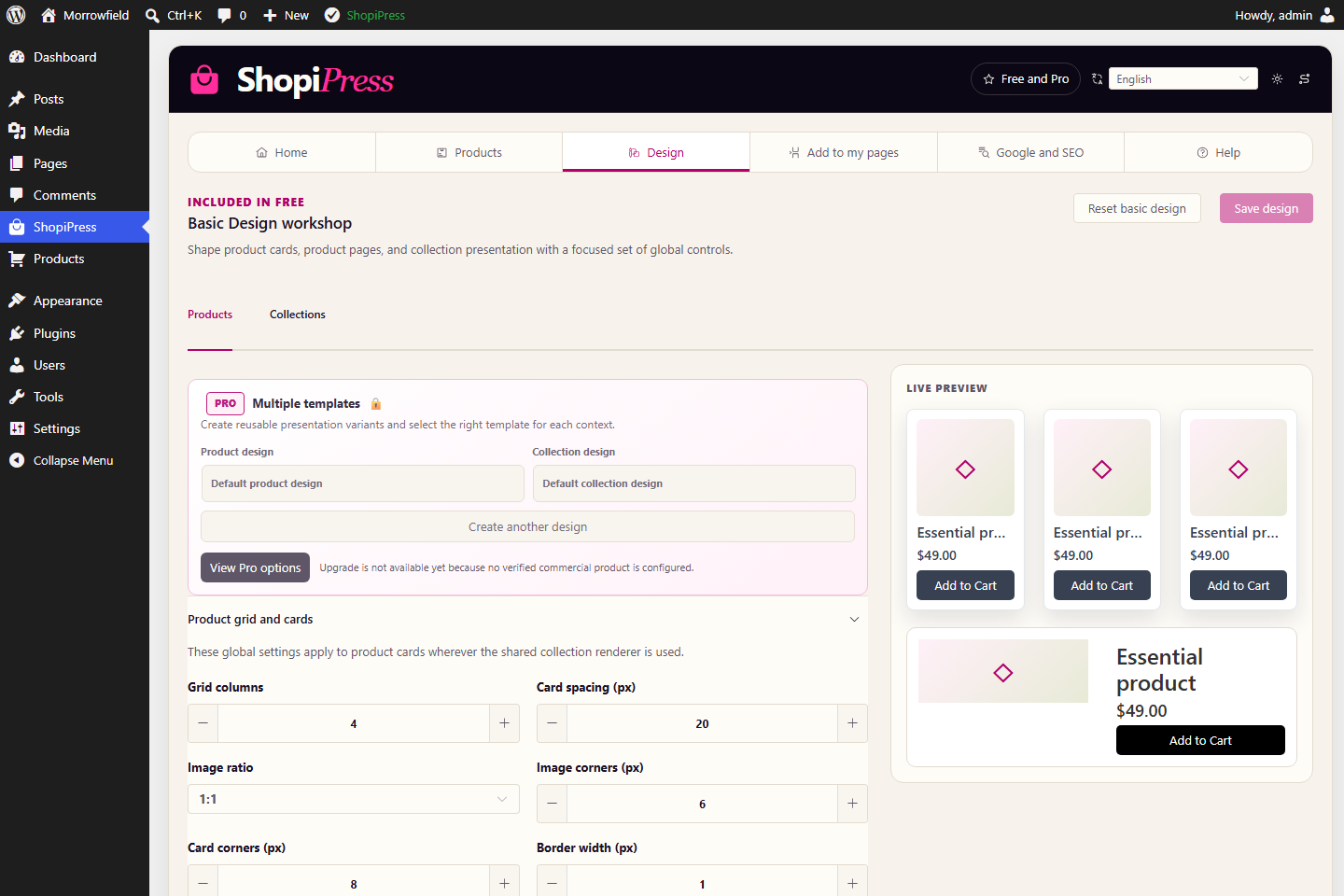
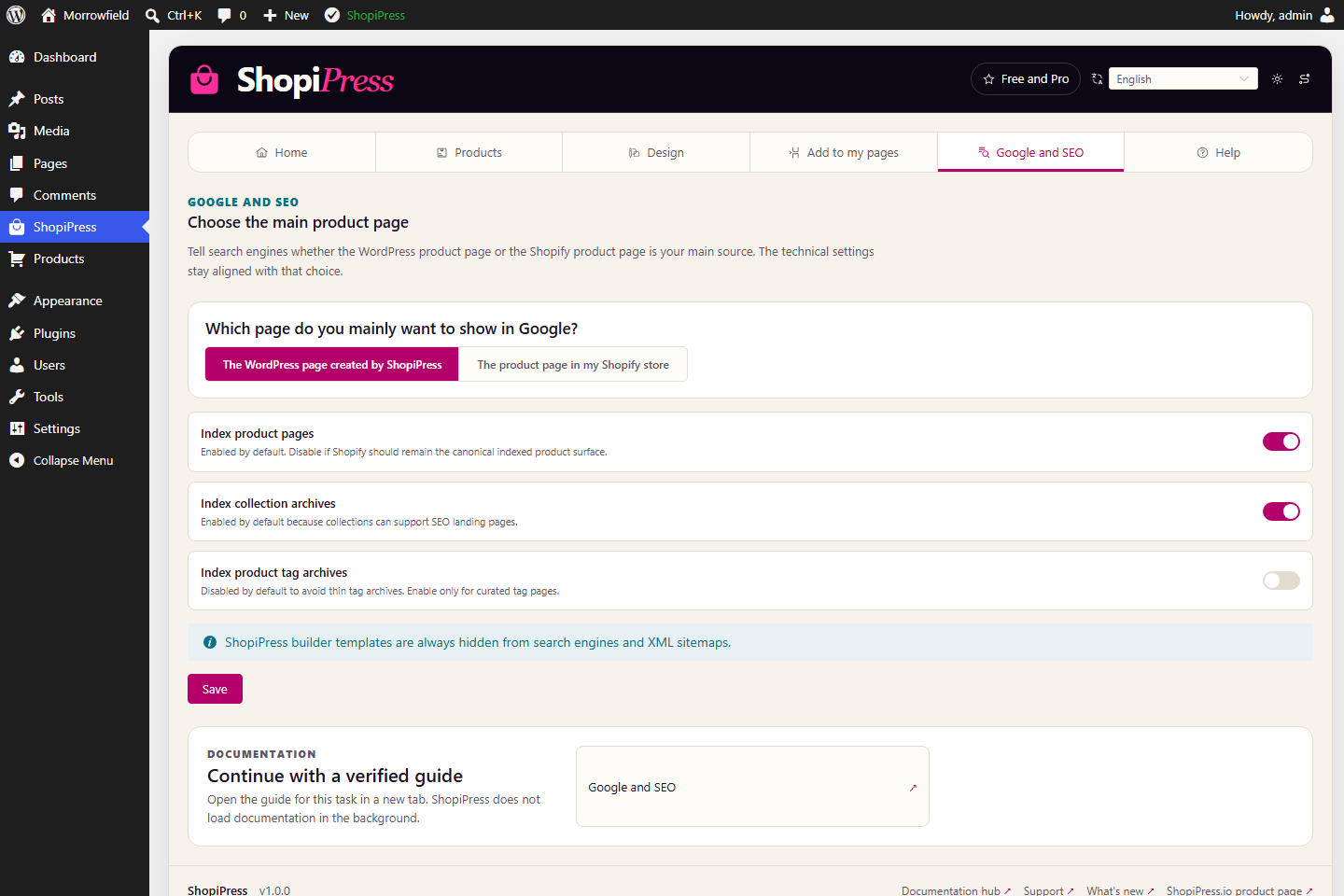
These screens come from the exact 1.0.0 candidate running in a disposable WordPress installation. Explore the connection path, design workshop, publishing surfaces, SEO controls and embedded help.
ShopiPress plugin interface: Connection and workflow.
01Connection and workflow
ShopiPress plugin interface: Review and synchronize.
02Review and synchronize
ShopiPress plugin interface: Visual design workshop.
03Visual design workshop
ShopiPress plugin interface: Blocks, shortcodes and builders.
04Blocks, shortcodes and builders
ShopiPress plugin interface: Google and SEO controls.
05Google and SEO controls
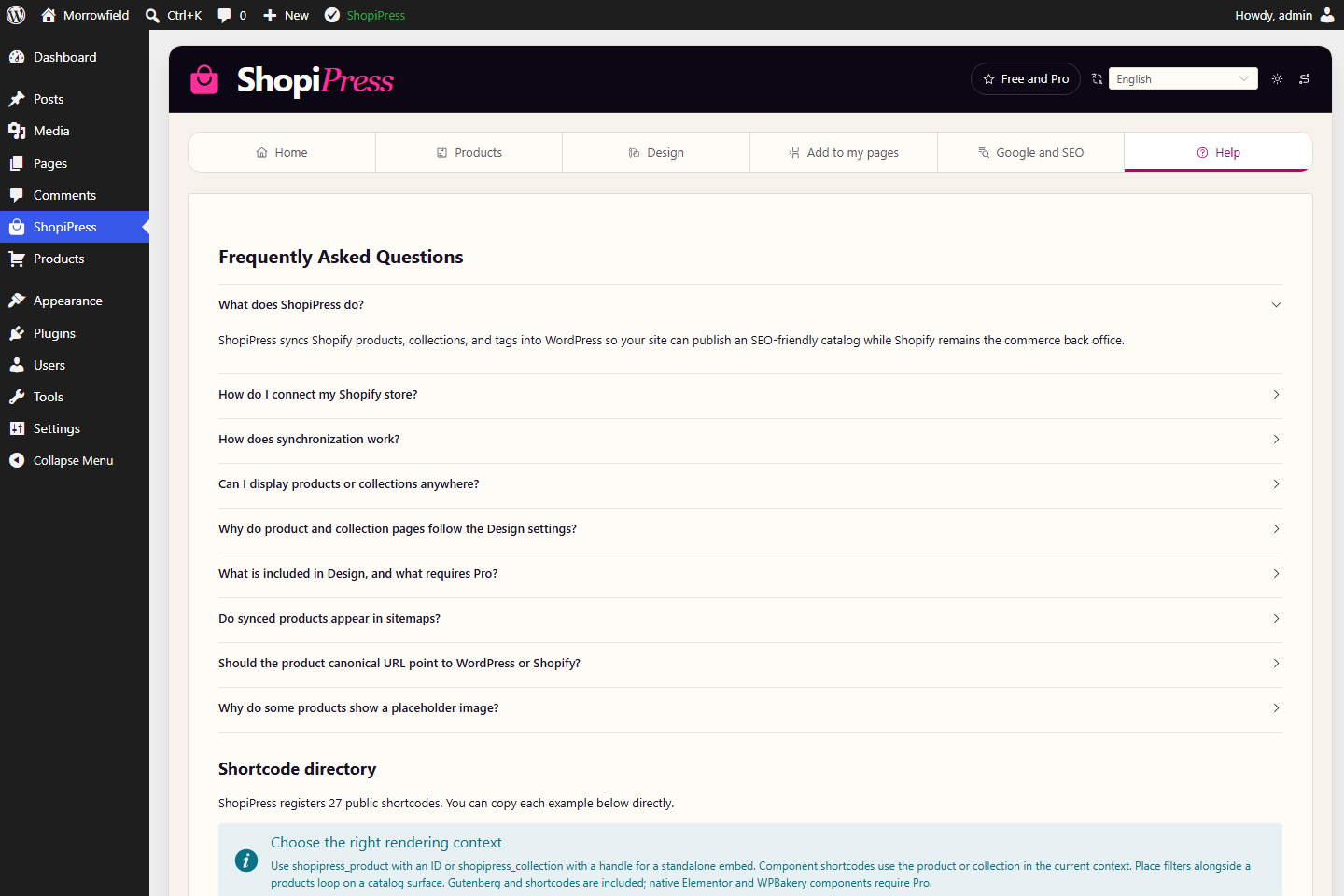
ShopiPress plugin interface: Help and shortcode directory.
06Help and shortcode directory

Morrowfield is fictional. The installation is deliberately disconnected and contains no Shopify credential, customer record or transaction.

00:32 · Exact-build capture

The interface is real. The catalog is the demo.

  1. Connection and workflow
  2. Review and synchronize
  3. Visual design workshop
  4. Blocks, shortcodes and builders
  5. Google and SEO controls

Free and Pro

Free runs the show. Pro designs it.

Free the publishing core

Everything the catalog needs to exist in WordPress

  1. 01One Shopify store connection
  2. 02Native products, collections and tags
  3. 03Manual full-catalog synchronization
  4. 0417 Gutenberg blocks and 27 shortcodes
  5. 05Default templates
  6. 06Search, filter, sort and pagination
  7. 07Cart and checkout handoff to Shopify
  8. 08Basic visual design workshop

Pro the design room

Full control of the presentation layer

  1. 01Native Elementor widgets
  2. 02Native WPBakery elements
  3. 03Advanced visual design editor
  4. 04Component-level customization
  5. 05Responsive controls
  6. 06Multiple templates
  7. 07Advanced custom CSS

Pricing publishes when the release does · no checkout exists today

ShopiPress 1.0.0 · Published on Freemius

What the current candidate does not include

The candidate is intentionally explicit about absent engines. Do not plan a launch around automation or integrations that are not delivered.

  • No scheduled synchronization, webhook queue or resumable background run.
  • No local media mirroring, Shopify metafield mapping or ACF mapping.
  • No multilingual catalog synchronization or multi-store agency tooling.
  • No saved advanced facets, merchandising rules, design presets or settings import and export.
  • Priority support is not included in the documented feature scope.

Keep the system boundary visible

Shopify remains the commerce source; ShopiPress moves catalog records and rendering contracts; WordPress owns publication.

Open guideCapture boundary./support/ →